


Guide
How to book appointments on WhatsApp with AI: a guide for clinics
What an AI agent does when booking, how to prepare your clinic before switching it on and which numbers to watch in the first weeks.
By Bruno Porto8 min read
Why has WhatsApp become the clinic’s front desk?
Many patients would rather send a message than call. The problem is that the front desk is also serving people at the counter, and messages that arrive mid-appointment or after hours get left for later. Patients who get no reply go somewhere else.
An AI agent does not replace your team. It takes over the repetitive part of the conversation — times, prices, address, preparation — and frees the front desk for what needs a person.
What does an AI agent do when booking appointments?
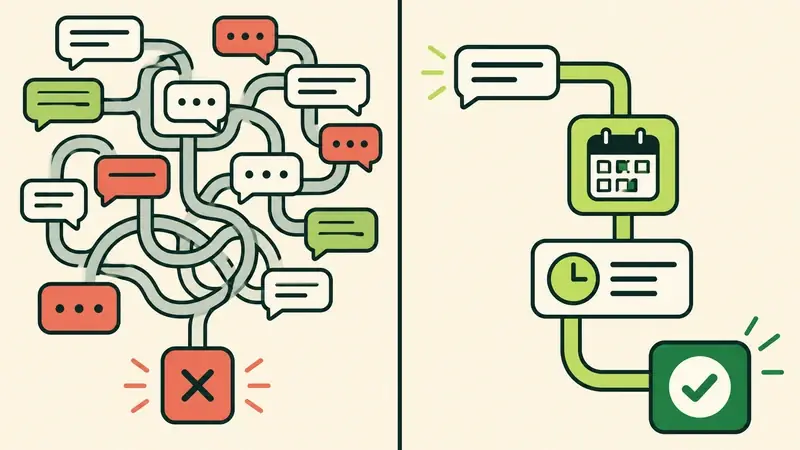
It replies to the message right away, understands what the patient wants, checks free slots in the calendar, offers options and books the appointment. It also reschedules and cancels in the same conversation and, when it does not know the answer, hands the conversation to someone on your team.

In practice, the conversation looks like this:
- Customer
Hi, I’d like to book an assessment. Do you have anything this week?
- AI agent
Hi! I have Thursday at 10 am or 3 pm, and Friday at 9 am. Which works best for you?
- Customer
Thursday at 3 pm.
- AI agent
Done, your assessment is booked for Thursday at 3 pm. Could you give me your full name for the booking?
- Customer
Anna Smith. Do I need to prepare anything?
- AI agent
Thanks, Anna! No preparation is needed for the assessment. Just arrive about 10 minutes early. If you need to reschedule, message me here.
| Step | Front desk only | With an AI agent |
|---|---|---|
| First reply | Whenever someone picks up the phone | Right away, even after hours |
| Offering times | Front desk opens the calendar and types | Agent checks Google Calendar and offers options |
| Rescheduling | Another round of messages | In the same conversation, without opening the calendar |
| Patient voice notes | Someone has to stop and listen | Agent transcribes and replies |
| Patient who went quiet | Depends on someone remembering | Automatic follow-up by stage |
Which clinics is this right for?
It makes sense when much of your WhatsApp traffic is repeated questions and booking requests. If almost every conversation needs a professional’s assessment, the agent helps less, and the gain is in first-contact triage and follow-up.
It makes sense when
- Your WhatsApp gets lots of questions about times, prices and address.
- Messages arrive after hours or while the front desk is serving people at the counter.
- The clinic’s calendar is (or can be) in Google Calendar.
- Patients stop replying mid-conversation and nobody follows up.
It is not the right time when
- Your schedule lives only on paper or in a system that does not connect to Google Calendar.
- Almost every conversation needs a clinical assessment before booking.
- Nobody on the team will look at the conversations the agent hands over.
How do I set up the agent to book appointments, step by step?
There are six steps: gather the information, connect WhatsApp, build the agent, connect the calendar, set the limits and test. With Caji you do it all from the dashboard, no coding.
Before you start, have at hand
- List of procedures and appointments, with how long each one takes.
- Prices or price ranges you are happy to share by message.
- Address, parking and directions.
- Preparation and documents needed for each type of appointment.
- Which topics always go to a professional.
Connect the clinic’s WhatsApp
The agent answers on the number the clinic already uses. You connect it once by scanning a QR code, just like WhatsApp Web.
Build the agent by talking to Lia
Lia, the dashboard assistant, asks about your clinic — services, prices, opening hours, tone of voice — and builds the agent from your answers.
Teach it with the material you already have
Send your website, a PDF with your price list or a text with frequently asked questions. The agent uses that material to answer.
Connect Google Calendar
With the calendar connected, the agent sees free slots and books, reschedules and cancels inside the conversation.
Decide what always goes to the team
Write in the instructions that clinical questions, complaints and unusual cases go to a person. The team takes over from the dashboard, with the full history.
Test before going live
Talk to the agent as if you were a patient: ask for a slot, reschedule, ask about prices, send a voice note. Adjust the material until the answers sound like your clinic.
Which mistakes should I avoid at the start?
The most common mistakes are not the AI’s: they are about information. The agent only answers well what it was taught, and only books correctly in a calendar that reflects reality.
An out-of-date calendar
The agent offers the slots that show as free in Google Calendar. Days off, lunch breaks, training or blocks that are not in the calendar become available slots for patients.
Incomplete material
If the length of a procedure or the preparation is not in the material, the agent has nowhere to get the answer from and hands the conversation to the team. That is better than making things up, but it creates work that could be avoided.
Nobody watching the conversations handed to the team
When the agent hands over a conversation, the patient is waiting for a person. Agree on who answers these cases and how quickly.
A conversation handed back to the team is not a failure: it is the map of what the agent still needs to learn.
How do I know it is working?
In the first weeks, track three things: how many conversations turned into a booked appointment, how many were handed to the team and why, and how many patients stopped replying halfway. The last two numbers show what the agent still needs to learn.

| What to watch | What it tells you | What to do |
|---|---|---|
| Booked appointments | Whether the agent takes the conversation all the way to a booking | Compare with previous weeks |
| Conversations handed to the team | Questions the agent cannot answer yet | Add the answer to the agent’s material |
| Patients who stopped replying | At which stage the conversation goes cold | Adjust the follow-up for that stage |
Frequently asked questions
- Will patients notice they are talking to an AI?
- The agent follows your clinic’s tone of voice. If the clinic prefers to say that the first contact is automated, just add that to the agent’s instructions.
- Do I need to change the clinic’s WhatsApp number?
- No. With Caji, the agent answers on the number the clinic already uses, connected once with a QR code.
- Does the agent reply outside opening hours?
- Yes. It replies at any hour, including at night and on weekends, and books into free slots in the calendar.
- What if a patient sends a voice note?
- The agent transcribes the voice note and replies as it would to a text message.
- Can I take a deposit before confirming the appointment?
- On the Pro plan, yes: the booking can require a deposit or full payment first, with a payment link created in the conversation and the money going to the clinic’s account.
- What if the patient wants to talk to a person?
- The agent hands the conversation to the team, who take over from the dashboard with the full history.
Put the agent on your clinic’s front desk
Try the Pro plan free for 7 days, no credit card, and watch the agent booking appointments in your calendar.
Try it free for 7 days

Keep reading
Applied AI
Chatbot or AI agent on WhatsApp: the difference and which to choose
A scripted chatbot follows a menu; an AI agent understands what the customer writes and gets it done. See how each one works, the pros and cons, and which fits your business.
6 min read

Trending
Is WhatsApp Business becoming paid? What really changed in October 2026
The message that went around small businesses mixes up two different things. See what changed, for whom, what is still free and what to check in your case.
4 min read